// TEMPLATE
The Ultimate CS2 Playbook
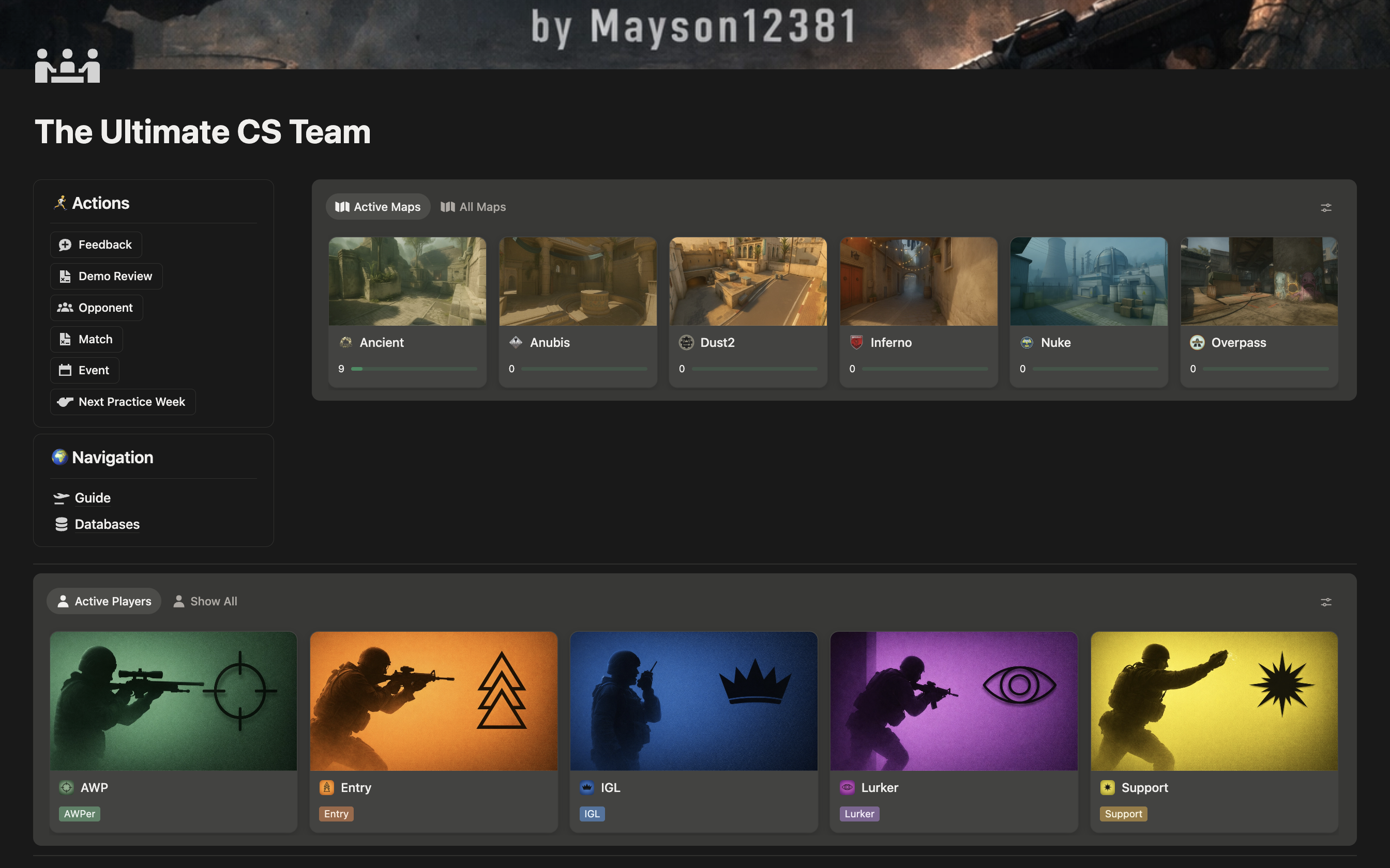
The complete system for teams that play to win. Strats, defaults, utility lineups, demo reviews, and match prep and much more!
$50 · one-time purchase
// WHAT'S INCLUDED
What's inside
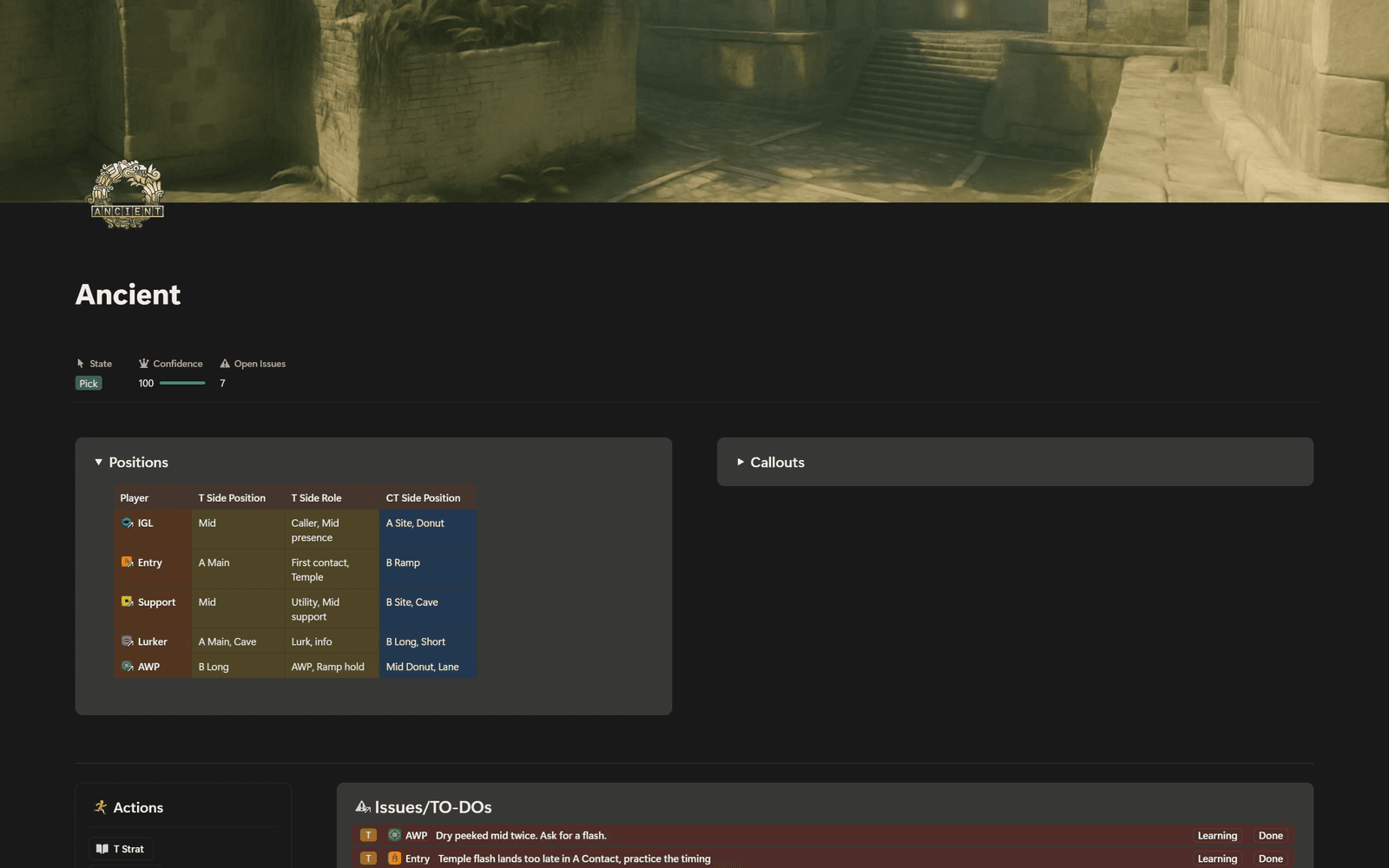
Map pages
Every map gets its own page. Strats, utility, positions and open issues, all in one place.
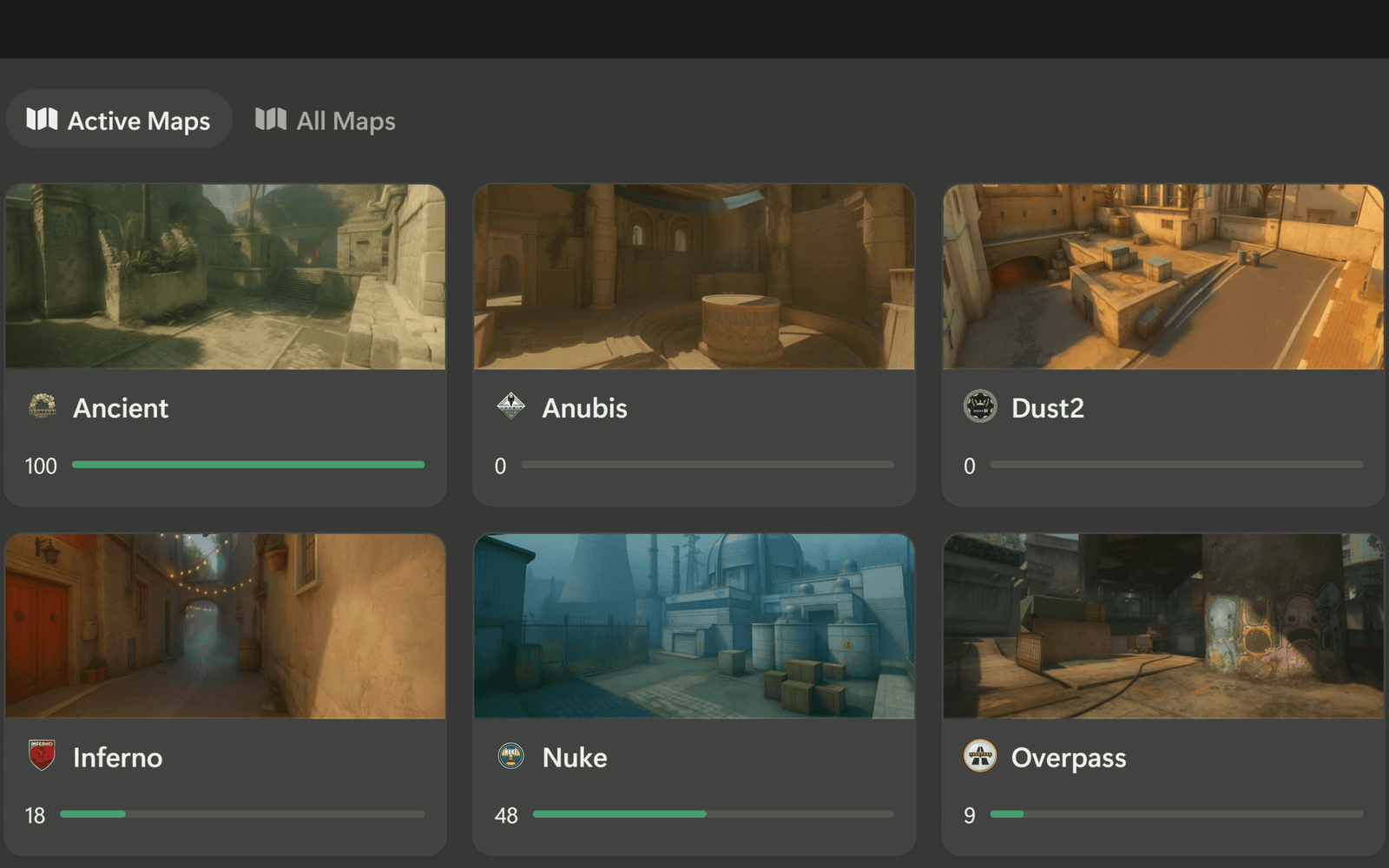
Map pool & confidence
One toggle takes a map out of your pool. Confidence shows which maps still need strats.
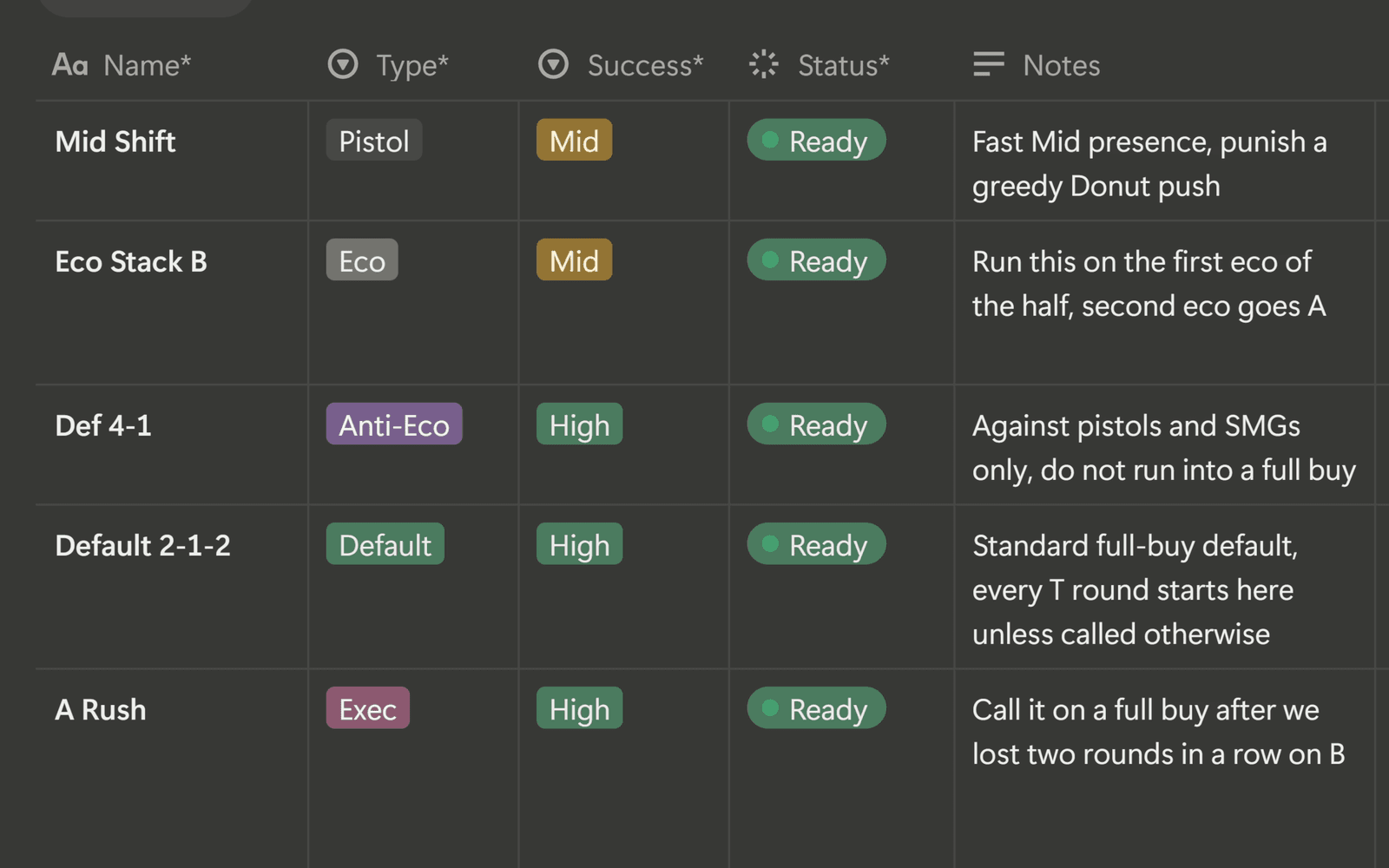
Strats by role
One instruction per role, readable in freeze time. The status shows which strats are match-ready.
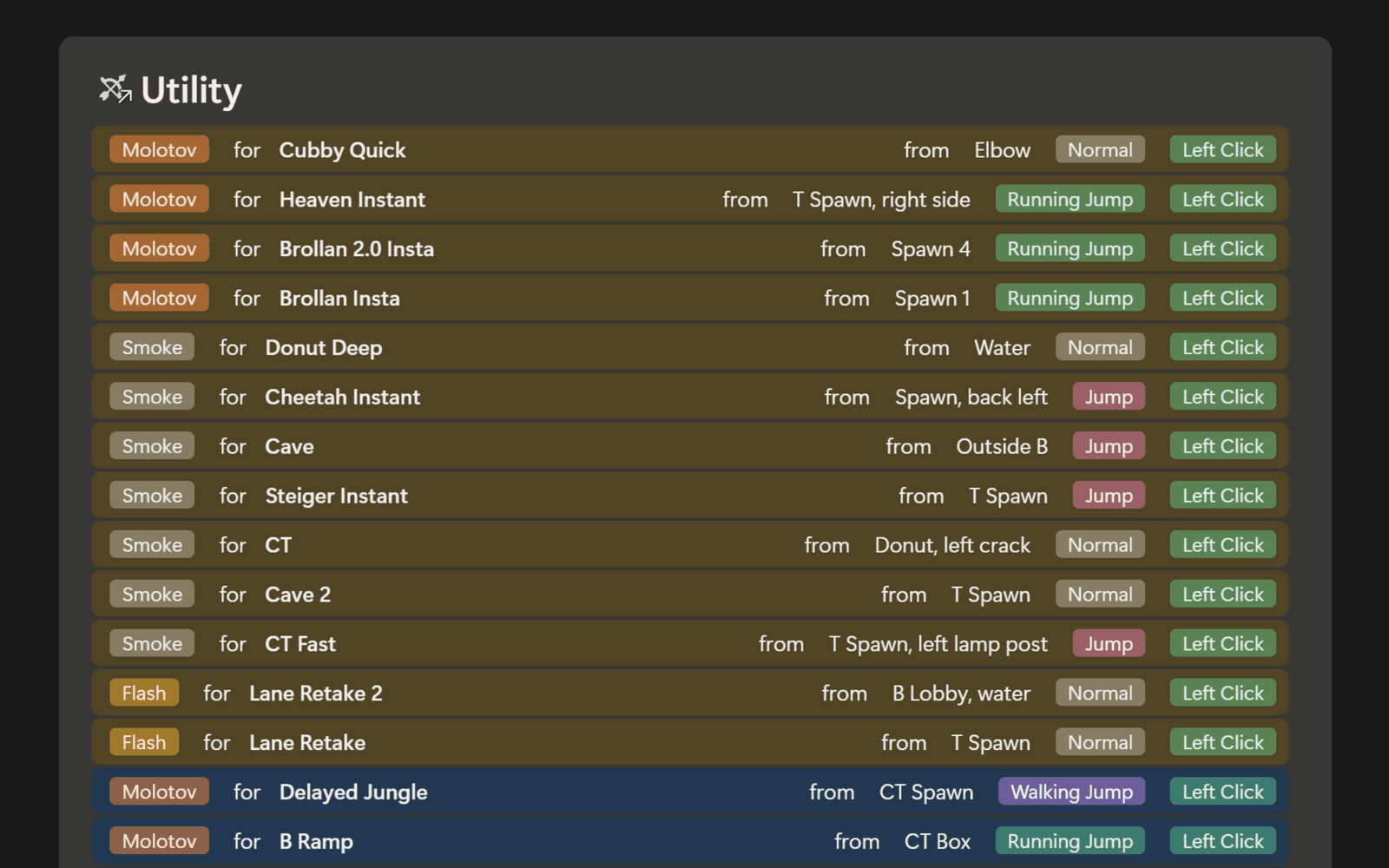
Utility library
Lineups sit next to the strats that need them. Each player sees only the nades he throws.
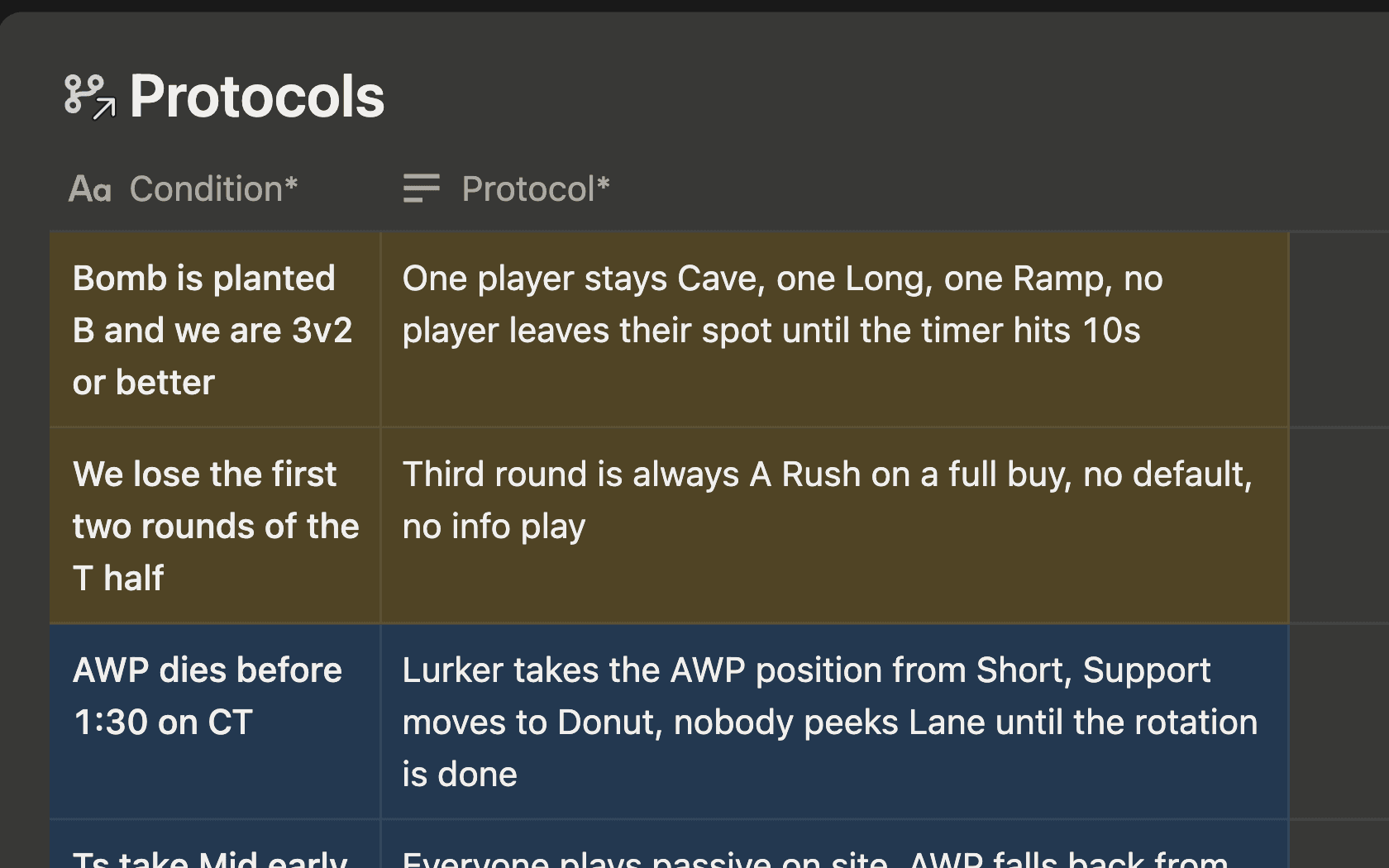
Protocols
Write your mid-round calls down once, per map or per strat, so nothing gets improvised.
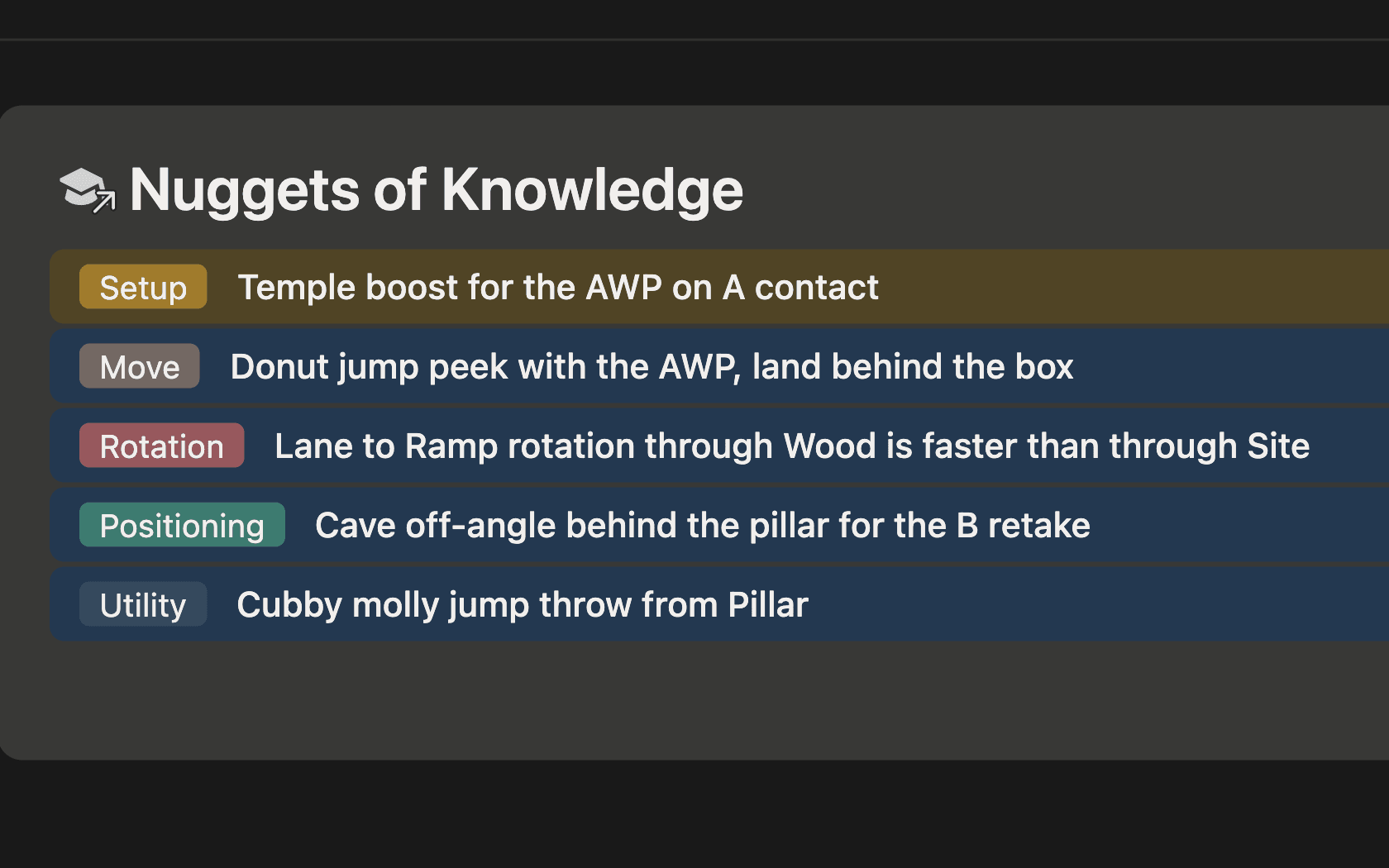
Nuggets of knowledge
Save plays from pro demos and videos. They show up on the page of every player involved.
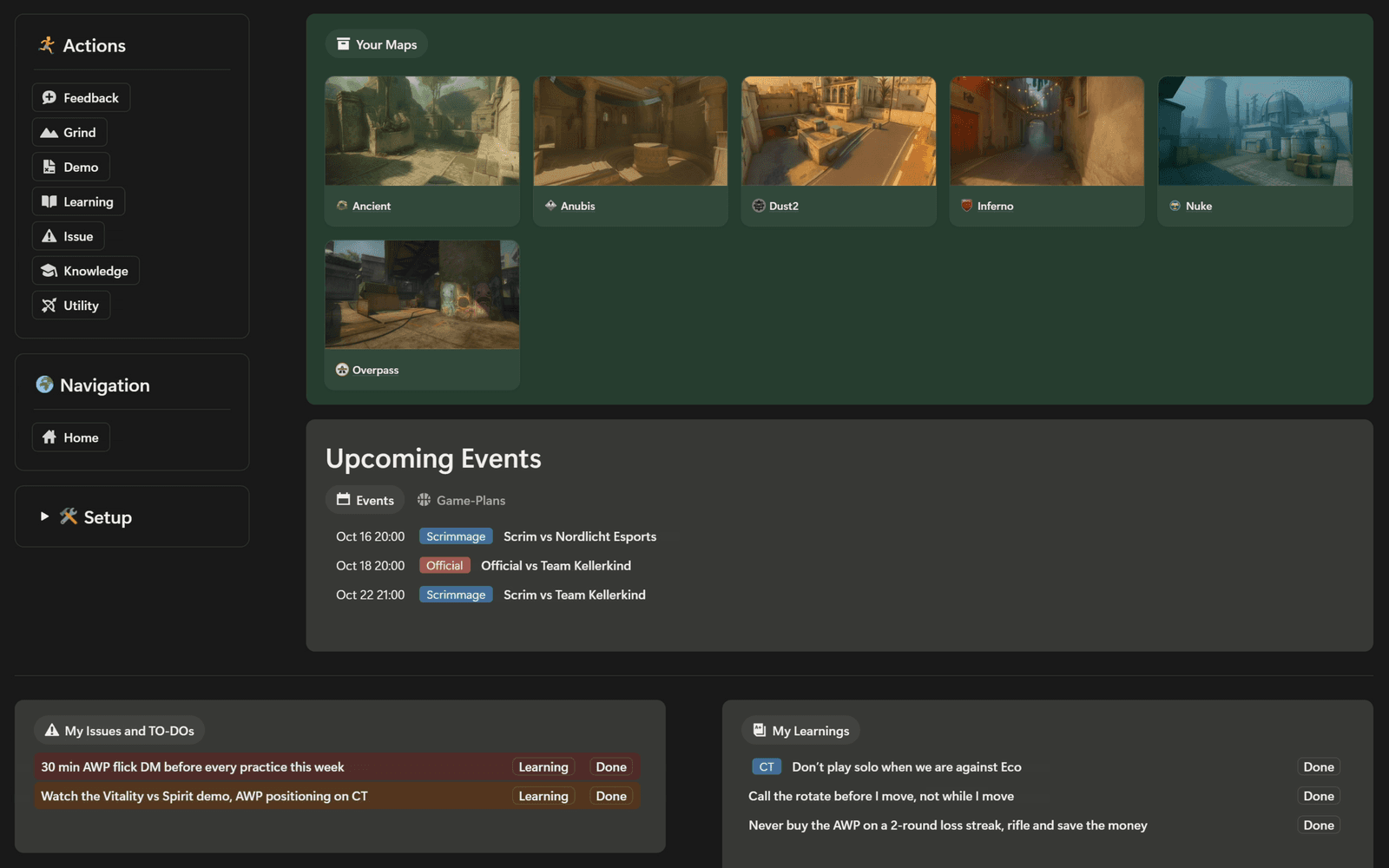
Player pages
Every player gets his own page for every map. Open it before the match, even in the Steam overlay.
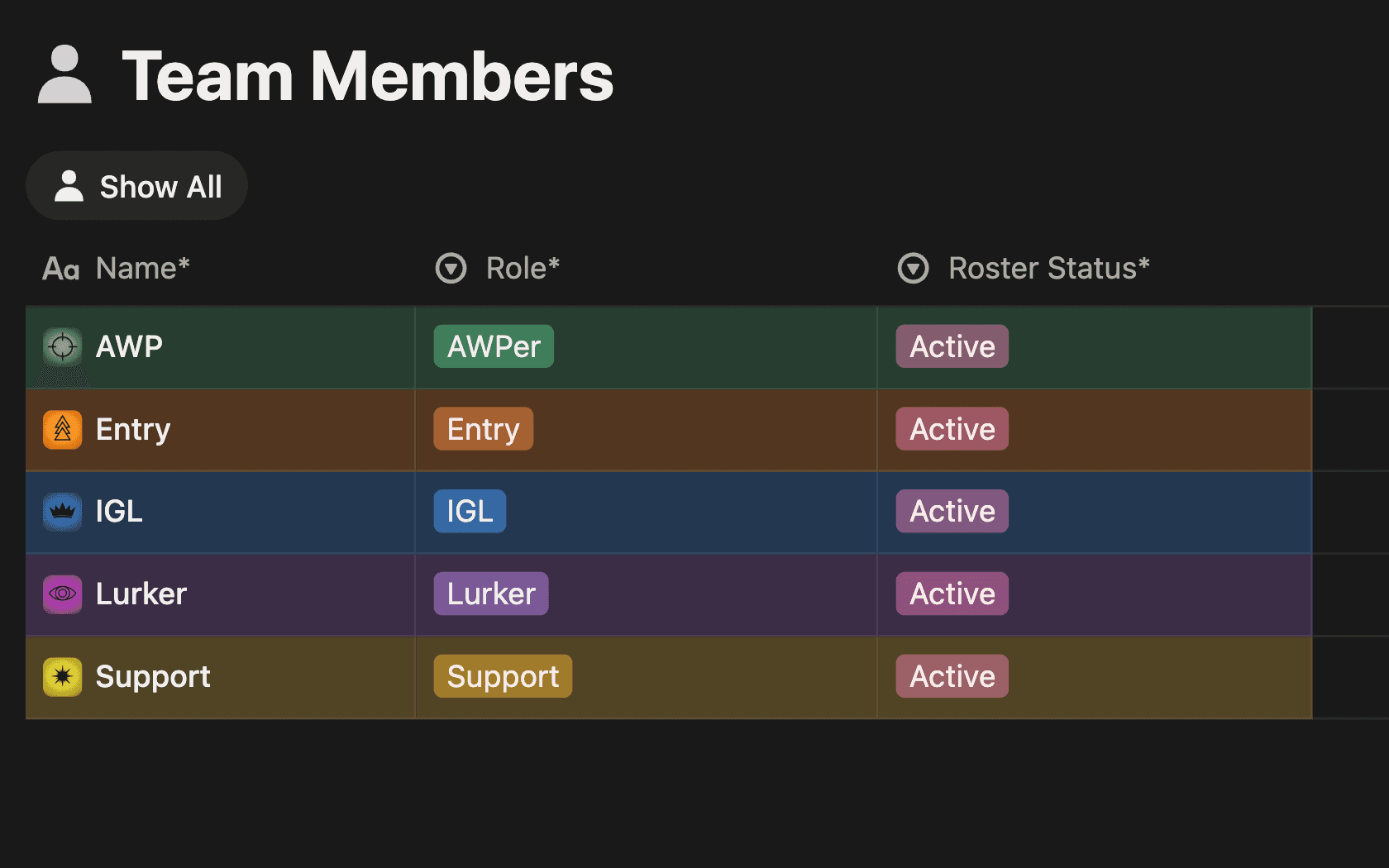
Roster
Role, Steam link and status for every player, including trials and bench.
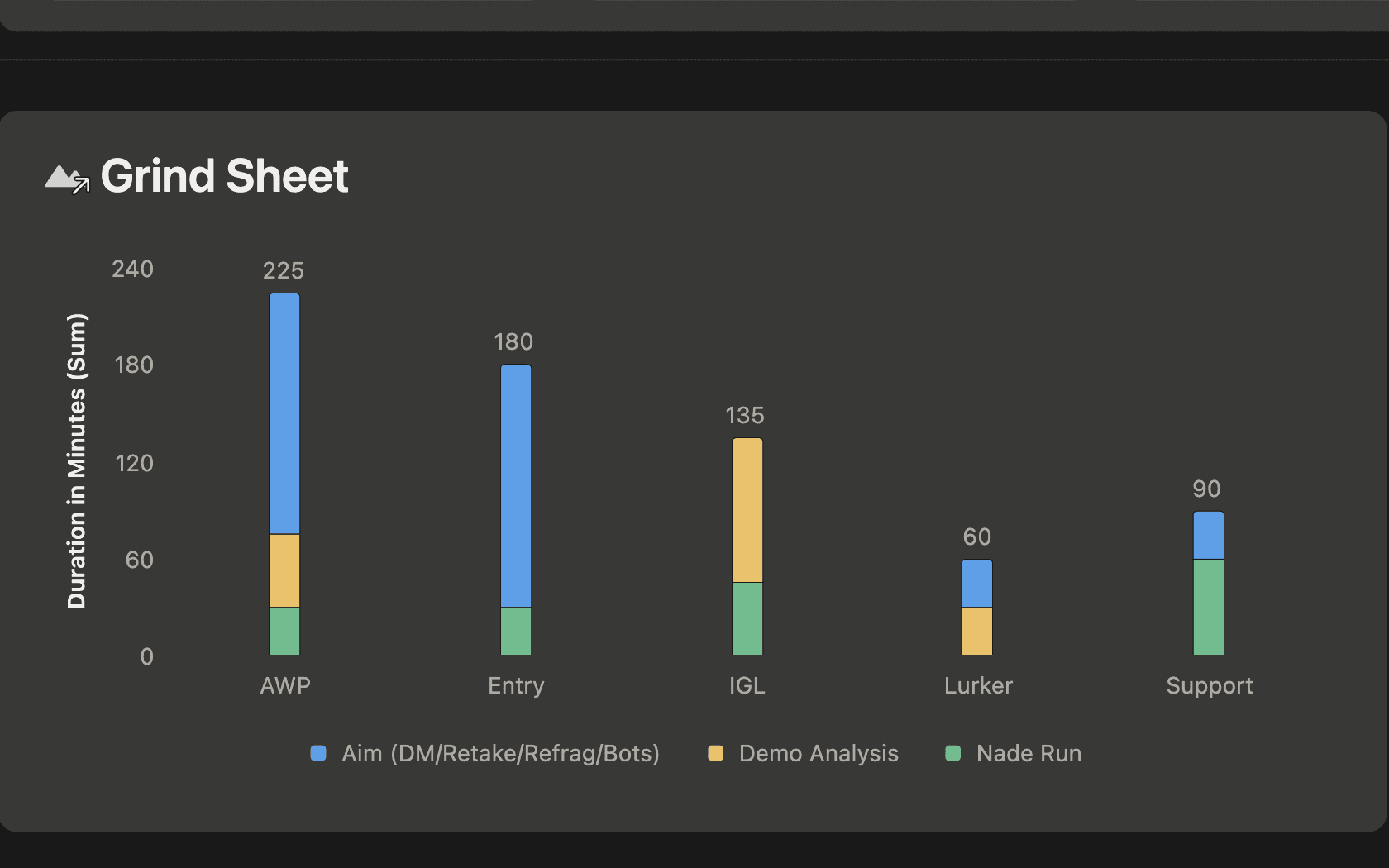
Grind sheet
Players log solo practice in a quick form. A weekly chart shows who put in the time.
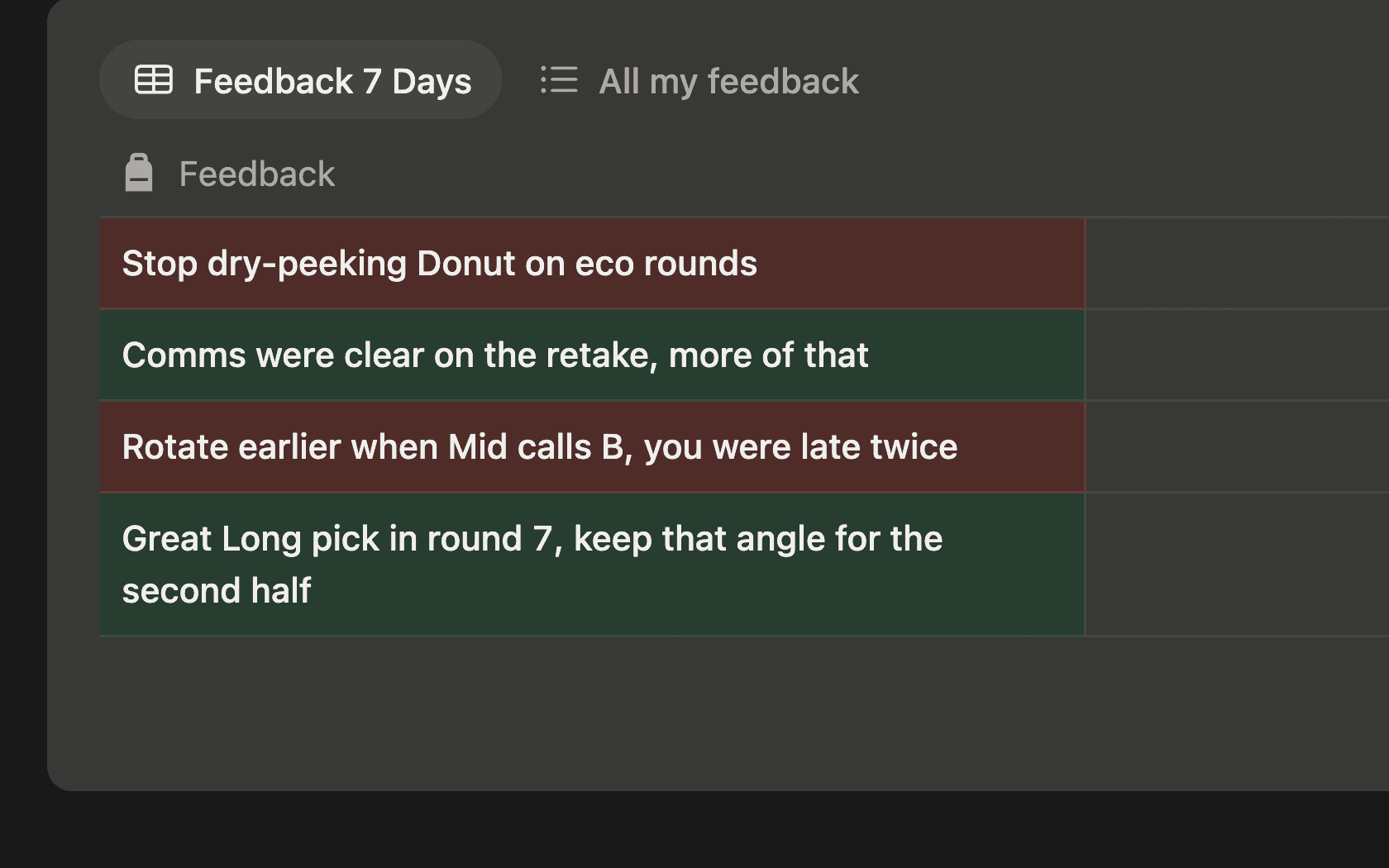
Player feedback
Leave a teammate praise or criticism in a short form. It stays on his page for a week.
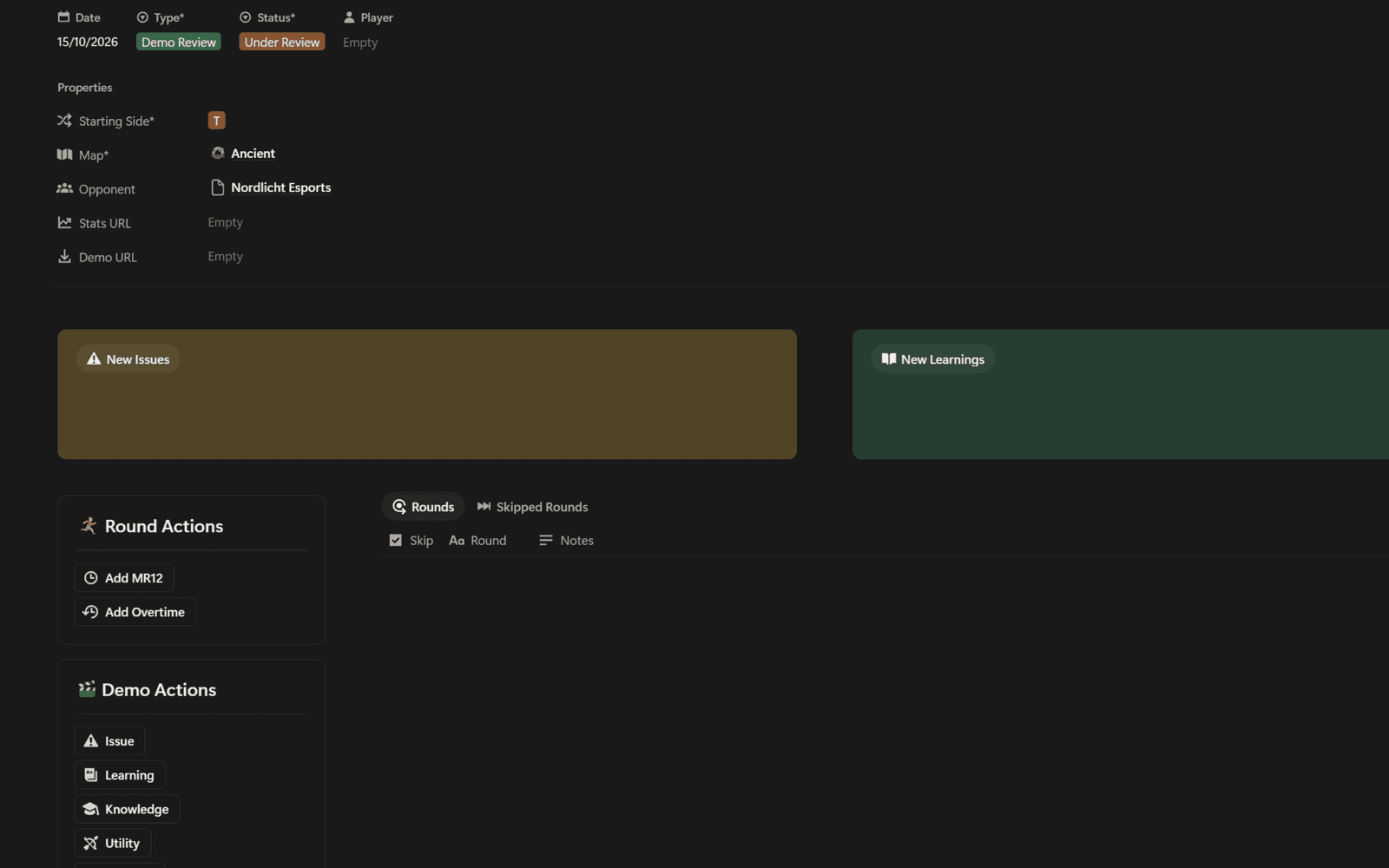
Demo reviews
Every demo gets a round-by-round sheet, so you always know which rounds you've covered.
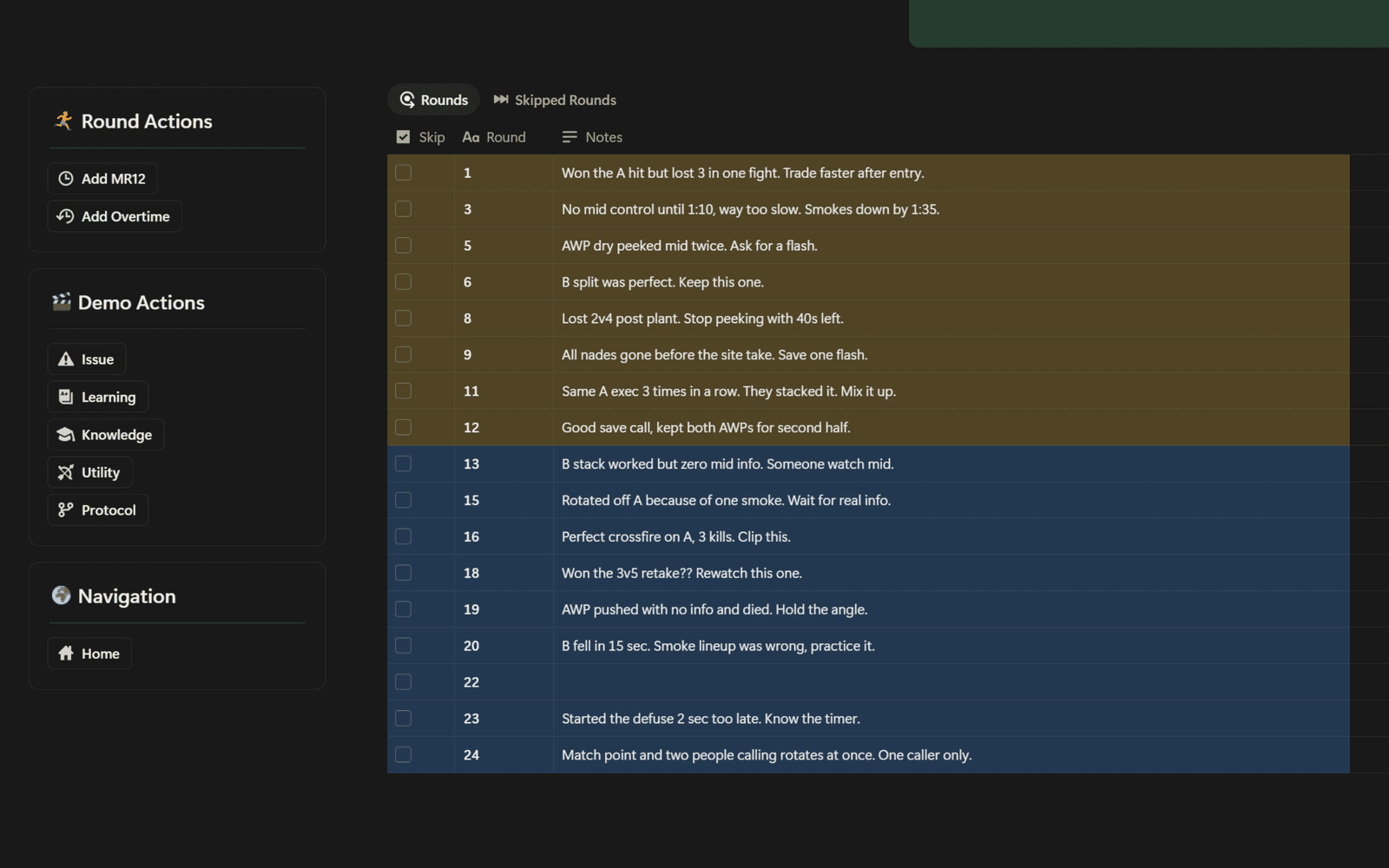
Issues from demos
Issues from a demo show up where they belong. Fixed ones become learnings you reread before the next match.
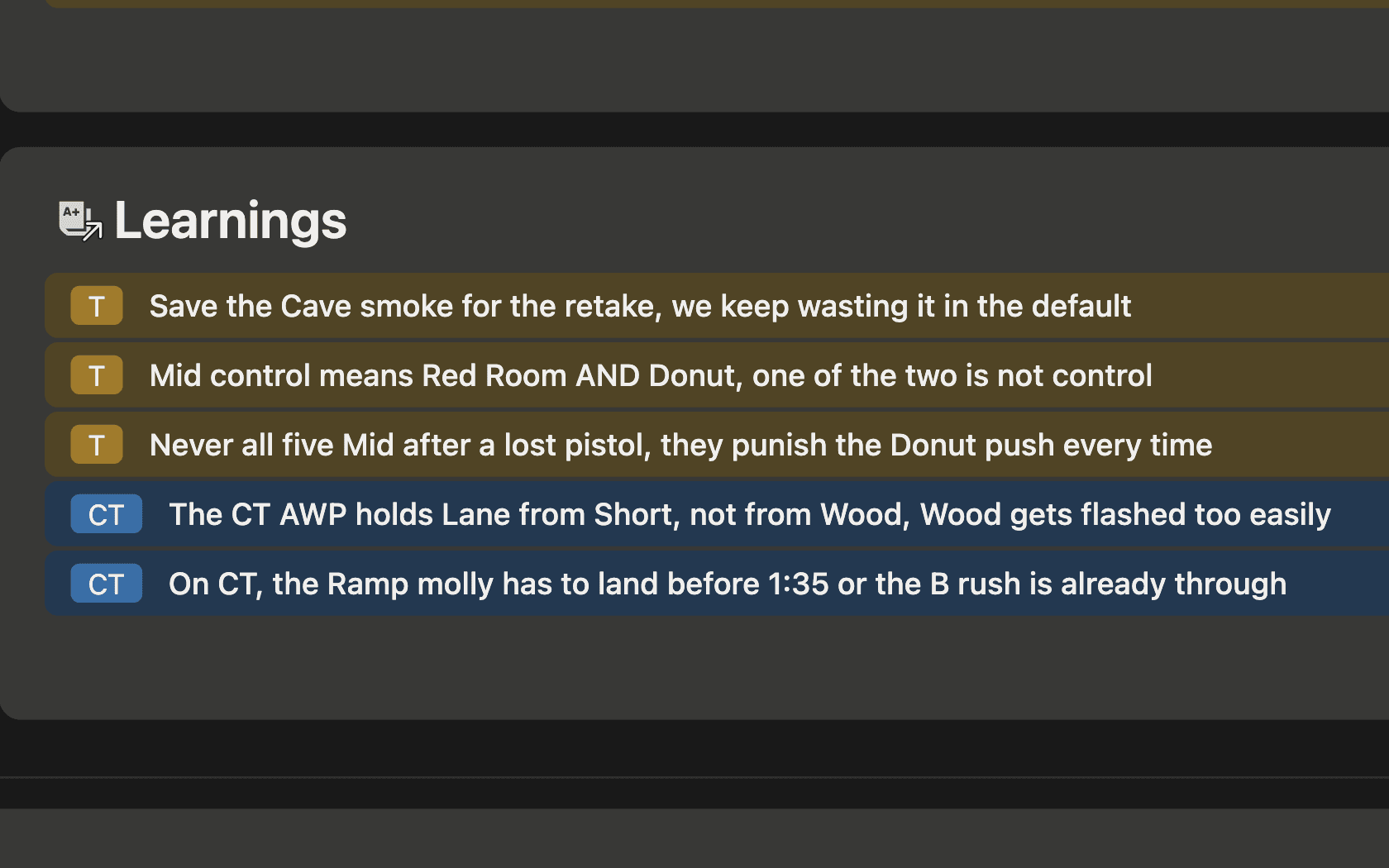
Learnings
Every lesson stays on the map page or your own page, ready for the next match on that map.
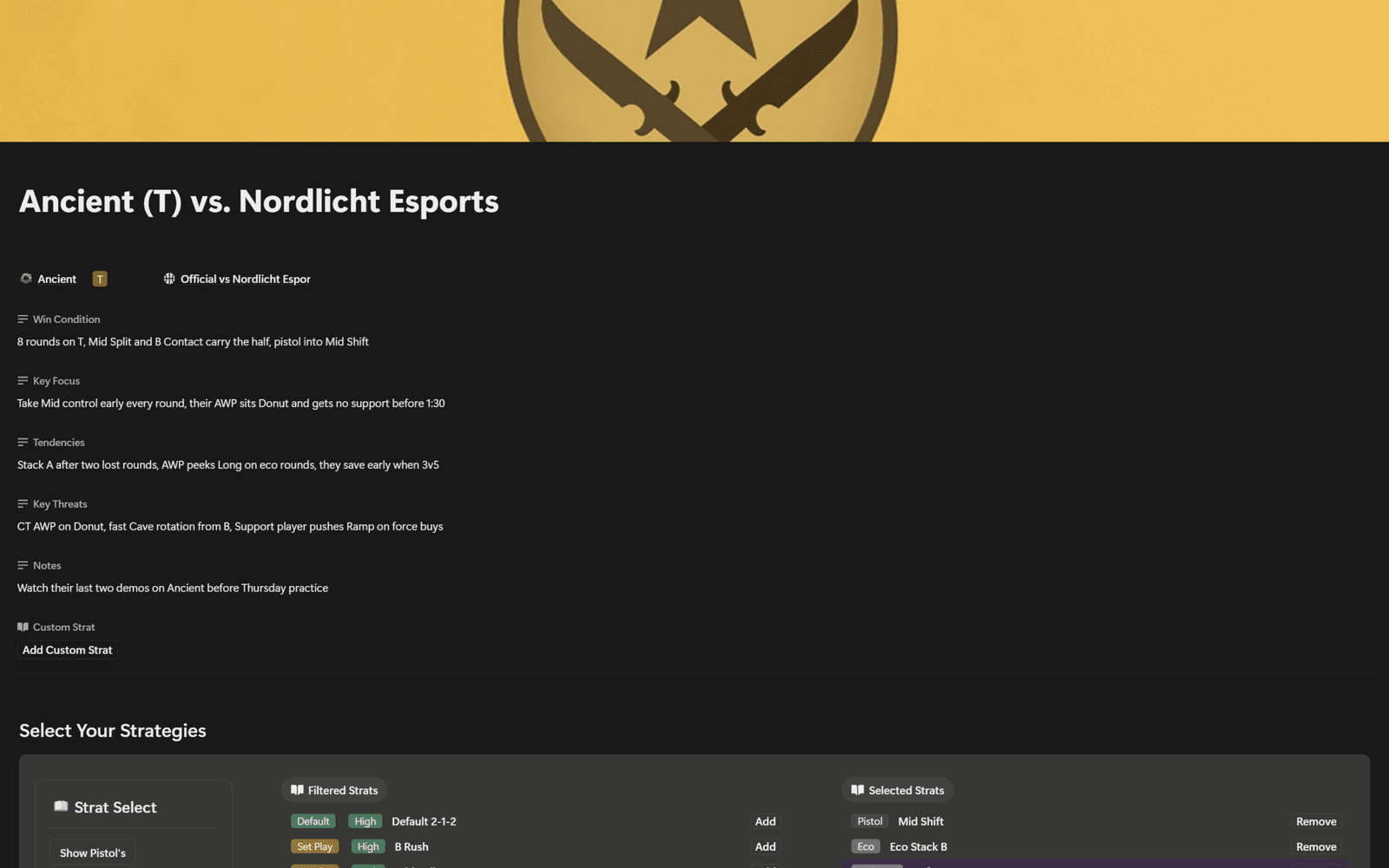
Game plans & briefings
Build the plan from strats you already have. One click gives every player his own briefing.
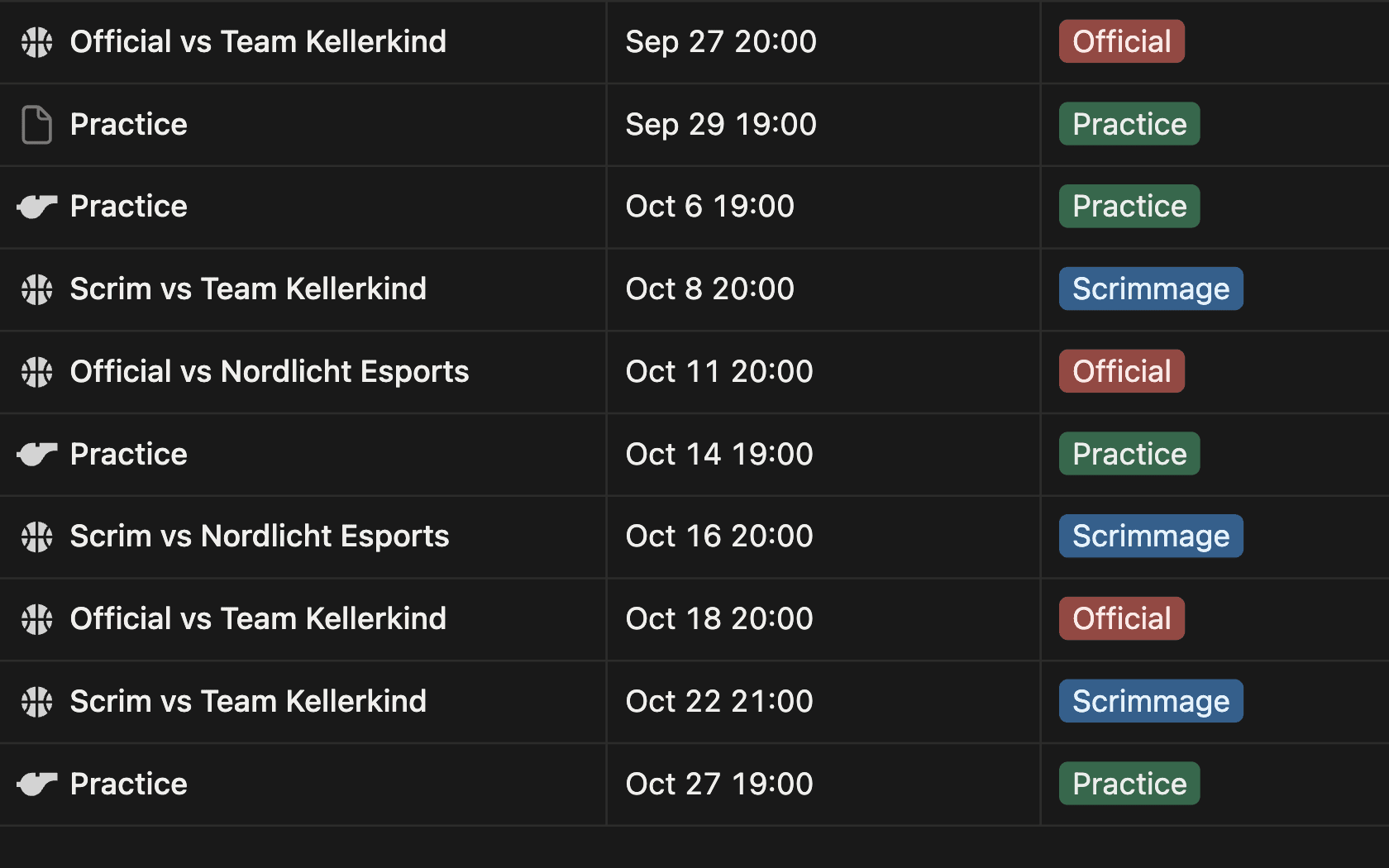
Team calendar
Officials, scrims and practice sessions with their agenda, each match linked to its game plan.
// FAQ
Frequently Asked
Is there a free version or trial?
Yes. The Free Stratbook is our free template. It covers every map in your pool with a basic stratbook, stripped down to the essentials. It's the easiest way to try the workflow and see if Notion fits your team.
How long does setup take?
About 5 minutes. A 5-step setup guide walks you through it, and info boxes on each page explain what goes where.
Do I need a paid Notion plan?
No. Mayson's templates run on Notion's free plan.
Can I share with my team?
Yes. Once the template is duplicated into your workspace, invite teammates like any other Notion page. View, comment, or edit access. There's no per-seat license; one purchase covers your roster.
What if I already use Notion?
Even better. Duplicate the template into your existing workspace in one click. It lives alongside everything else and uses the same accounts, mentions, and notifications you already rely on.
How is this different from a Google Sheet?
Spreadsheets handle numbers. They don't handle players, scrims, demos, VOD timestamps, drills, and decisions linked together. Our templates connect rosters to matches, matches to strats, strats to maps, so you stop pasting between tabs.
Will it work for Valorant or League of Legends?
The templates are built around CS2 maps, economy, utility, callouts. The workflow patterns (roster, scrim review, practice planning) translate, but match-specific fields won't. Tell us which game you want next and we'll ping you when it ships.
What happens after I click buy?
You check out on the official Notion Marketplace, Notion's own template store. After payment, you duplicate the template into your Notion workspace with one click, and it's yours forever. If a promo code is running, enter it at checkout.
What's the refund process?
14 days, no questions asked. Start your refund through Notion's Marketplace. That's it.
Can I customize the template?
Yes. Once it's in your workspace, it's a regular Notion page tree. Add properties, hide views, rename fields, plug in your own integrations. We give you the foundation. Bend it to your team.
Still have a question?
Contact