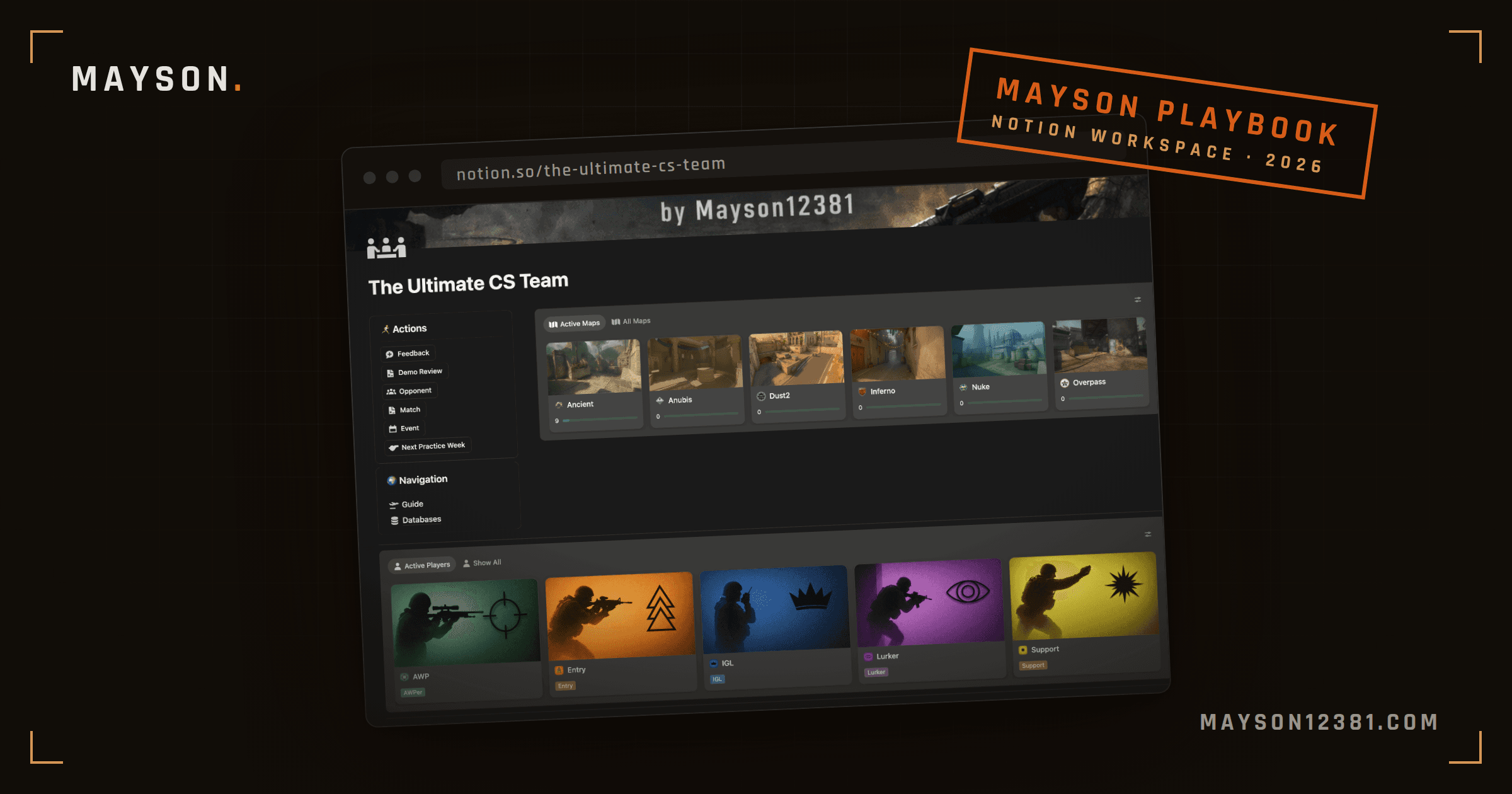
Pro teams have coaches, analysts, performance coaches... Real professionals. Your five-stack has a Discord server. That gap is real, but it is smaller than it looks. Most of what those staff roles produce is organized information: what we play, what we practice, what went wrong last match. Notion can hold all of that in one workspace, for free.
My own team has run on Notion for a while now. During scrims everybody has the workspace open when there is something new. Before we play a map, a few of us open our personal page for that map to check the current learnings and to have the strats ready in case we run one of them. And it didn't take long until the question in Discord became "is it in Notion?"
This guide shows eight ways competitive teams use Notion, with screenshots from that workspace. You can build each feature yourself, or shop one of our professional templates and get started right away.
Why use Notion for an esports team?
Four reasons, and one honest limitation.
It's free for a five-stack. Notion's free plan covers a personal workspace with guest accounts, which is exactly what a team is: one owner, four teammates. No per-seat pricing, no "contact sales".
Real databases, not folders of docs. A strat is connected to the correct information: the utility it needs, the players who run it, the demo where it broke. In Google Docs those connections live in your head. In Notion they are relations you can click and see.
Everyone already half-knows it. Most players have seen Notion at school or work. The ones who haven't, learn the basics in an evening. Compare that to teaching your team a dedicated stratbook app nobody has used before.
It's there while you play. Notion runs in the browser, on your phone, and in the Steam overlay. The stratbook can be open on the second monitor during a scrim without alt-tabbing out of the game.
The limitation: Notion has no built-in map drawing. You cannot sketch an execute on a radar image inside Notion the way you can in dedicated tools. Teams work around it with screenshots, radar images with arrows drawn in any image editor, and links to nade videos. In practice this matters less than it sounds, because most of a stratbook is text: who goes where, what to throw, when to commit. If drawing on maps is an important thing you want, you can attach images to strats easily.
The eight features
Each of these is one page or one database. Together they are a complete team workspace. Build them in this order, and stop as soon as you have what your team actually uses.
1. The stratbook
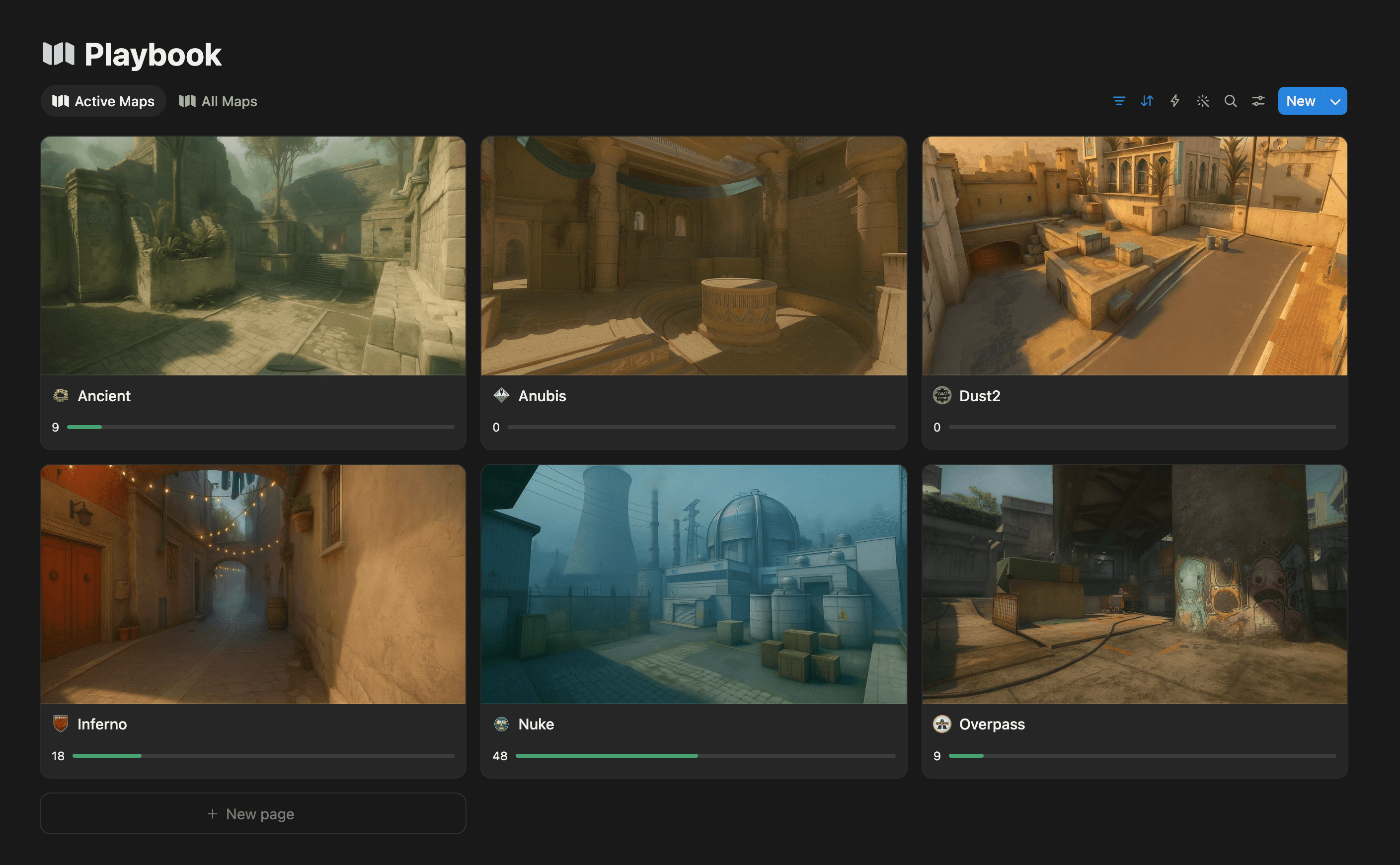
The core of everything. One page per map, and on each map page: your defaults, your named strats for T and CT side, the utility that belongs to them and the protocols.
In my Playbook, every map is an entry in a database with a few properties that do real work: a State field (is this map in our active pool or not), counters for how many T and CT strats are ready for official games, and a Confidence score that is calculated from how complete the strats are for this map. One look at the database tells me which map is match-ready and which one we should not pick on Tuesday.
Each map page also has a positions table: every player, their T side position and role, their CT side position. When someone asks "where do I play on Dust2 again", the answer is a table, not a Discord scroll session.
I wrote a full guide on building a stratbook from scratch, including what belongs in one and what to leave out: How to Build a CS2 Stratbook Your Team Will Actually Use. This section stays short because that post exists.
2. Per-player pages
A stratbook has to answer "what do I do?" faster than "what do we do?". That is what per-player pages are for. Each player gets a page per map with their positions, their utility assignments, and their personal to-dos.
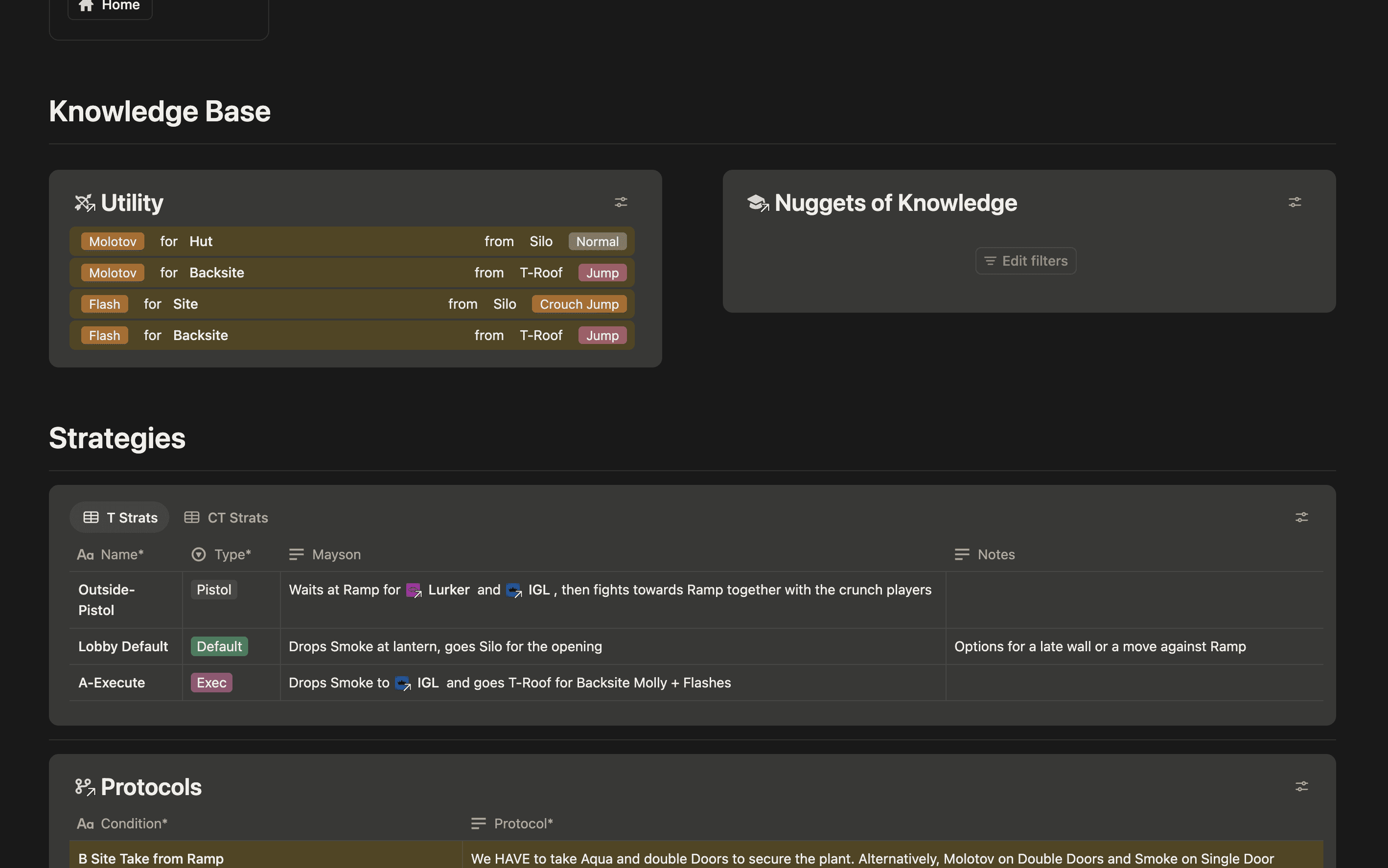
I used mine basically every prac. Two teammates used theirs a lot as well, and one mostly ignored it. That is fine. The features are there for everyone: one player needs them more, another finds them tedious, but all have the opportunity. What stuck across the whole team is utility, most people put in the util they needed themselves, for nade runs or just as list for later pracs.
The honest version of the impact: our scrims and pracs got better. Though, in a new team, where nothing is written down yet, I would expect this to matter a lot more.
3. The team calendar
The most boring feature on this list, and the one someone has to take ownership of. Keeping a good overview of when the next prac or official is can help your team organize better. This feature is not make or break though, if your team doesn't need it, skip it without remorse.
The date can also hold an agenda: which map the prac is for and what to work on. That costs whoever plans it one minute, and it means the team joins the server knowing what the evening is about instead of warming up into nothing. How we decide what a prac is for comes in feature 5.
4. The demo review log
"How does a team usually watch their demos?" is one of the most asked questions in amateur CS, and the honest answer for most teams is: they don't, or they watch one full demo, argue about a clutch for forty minutes, and never do it again.
The Notion side of the fix is a Demos database: one entry per reviewed demo with the opponent, the date, the rounds worth talking about, and the findings. The findings are the point. A review session that ends with three concrete stratbook edits was worth the evening. One that ends with "we need to hit our shots" was not. In our templates, demos also have a direct link to issues and learnings. So while noting down what happened in a round, the reviewer can instantly assign a player directly to any issues he needs to work on or a learning he should keep in mind. This will instantly appear on his personal player page for later visibility.
Demo notes will no longer get lost in the wind and forgotten. They become your weapon for a never-ending feedback loop of improvements.
A full team demo review workflow is coming as its own post.
5. Open issues and learnings
Two databases, and together they might be the highest-value part of our workspace.
The issues list is the simple one: things that are currently broken. In our list it is usually one of three things: a missed smoke, meaning a certain player has to practice that lineup again. A default we saw in an opponent's demo and don't have an answer to yet. Or a wrong timing in one of our executes, so the utility lands too early or too late.
The learnings database is the counterpart, and I think it is the single biggest feature of the stratbook. A learning usually results out of a mistake: a timing you missed, a bomb planted in the wrong spot, a rotation that came too late. Instead of fixing something once and forgetting it, the mistake becomes a note that stays and gets reread before the next match.
Both come out of the same places, demo reviews and pracs, and both get assigned to a map and a player, so they show up on the personal player page (feature 2) and are there the next time that map gets played. Issues get resolved in practice. Learnings stay. That closes the loop: reviews create issues and learnings, practice works through them, the stratbook gets better every week. For amateur teams or teams just starting out, this combination is where the whole system pays off.
This list also answers the question every team argues about five minutes before prac: what do we practice tonight? We practice the maps that need focus, and the workspace tells us which those are. A low Confidence score, open issues piling up on one map, or an upcoming opponent who is most likely picking a specific map. That map becomes the agenda on the calendar entry, and the prac has a purpose before anyone joins the server.
6. Roster and roles
Even a stable five-stack has roster admin: who plays which role on which side, who is the stand-in when someone is on vacation, what you agreed with the trial player. A small roster database holds role cards (one page per player: responsibilities per side, in their own words) and keeps the awkward conversations documented instead of re-negotiated every month.
If you are still figuring out who should play what in the first place, that is its own topic.
7. League and match prep
A league season is mostly logistics: match dates, opponent names, veto plans, server info, who confirms the lineup. The officials already live in the team calendar (feature 3); match prep and anti-strating adds the thinking: the veto plan and whatever you know about the opponent before the match, the result and the demo link after. The demo link feeds the review log.
8. Nuggets of knowledge
The learnings database holds what your own mistakes taught you. Nuggets of knowledge hold what you steal from everyone else. A player sees something worth keeping: a neat play in a pro demo, a cheeky AWP peek in a YouTube video, a nice util combo someone posted on X. Anything he thinks is worth noting down for the future goes in as a nugget, linked to its map.
Without a place for this, that clip gets posted in Discord, collects two emoji reactions, and is gone. With one, the next time you prac that map, the nugget is sitting on the map page waiting to be tried and used to win.
How to lay out the workspace
The structure that has survived in our team is flat and boring, and that is the recommendation:
- Home: one dashboard page with quick-action buttons (new strat, new demo, new issue) and links to everything else
- Playbook: the map database (feature 1), with player pages (2) and nuggets of knowledge (8) linked per map
- Calendar: pracs and officials (3)
- Demos: the review log (4)
- Issues & learnings: the two improvement databases (5)
- Team: roster (6) and match prep (7)
Two pieces of advice from building this four times:
Build in order of pain. One map in the stratbook first. Ship it to the team before you touch anything else. Then issues and learnings, demos, then calendar. Roster management can wait until someone asks the same question twice.
Don't over-engineer week one. The 40-strat Google Docs trap has a workspace cousin: the beautiful fifteen-database system nobody opens after the first week. Every database in this guide earns its place by being used at least weekly. If one isn't, delete it.
Templates to duplicate instead of building
Everything above is buildable in a weekend if you enjoy building. If you would rather spend the weekend practicing, this is what I sell, and the honest version of who each option is for:
- The Free Stratbook (free): a page for every map, but strats only. No player pages, no demos, no issues and learnings. It exists so you can test whether the Notion workflow sticks before spending anything.
- The CS2 Stratbook ($20): the full per-map system from features 1 and 2, every Active Duty map, positions, strats and utility structure ready to fill.
- The Ultimate CS2 Playbook ($50): everything in this post pre-built. Stratbook, player pages, team calendar, demo reviews, issues and learnings, roster. The version my own team runs.
Pay once, duplicate into your workspace, and it is yours. No subscription, because your stratbook shouldn't die when you stop paying for it.
There are other esports templates on the Notion Marketplace and Gumroad, and a roundup comparing all of them fairly is planned.
The Notion building blocks behind it
If you build your own workspace instead, these are the features to learn, in order of payoff: relations and rollups (connect strats to utility to players, count things automatically), formulas (the map Confidence score is one formula), databases with multiple views (the same strat list filtered per player), calendar views (the prac and match schedule), synced blocks (one navigation sidebar, edited once), and buttons (one click creates a pre-filled strat entry). That list is 90% of what our workspace uses. You do not need the other 10% to run a team.